

Wi-Fi or Bluetooth connectivity, app-driven output adjustments, and built-in sensors that hold humidity near 45% define what shoppers actually pay for in a connected humidifier. Most pair with a hygrometer and temperature probe, log moisture data over time, and shut off automatically when the tank runs dry. Premium models slot into voice ecosystems and broader routines, while budget picks often skip the cloud account entirely.
This practical walkthrough helps anyone shopping for a connected humidifier weigh real-world tradeoffs, from ultrasonic versus evaporative designs to the app features, voice-assistant hooks, and tank sizing that actually matter day to day.
What Actually Makes a Humidifier Smart
Connectivity alone does not earn the label. Plenty of humidifiers ship with a basic digital panel and Bluetooth, yet still demand a trip across the room every time the air feels dry. The real dividing line is whether the device can sense, decide, and act on your behalf, and whether your phone can steer it from anywhere on the home network.
App Control Versus a Digital Panel
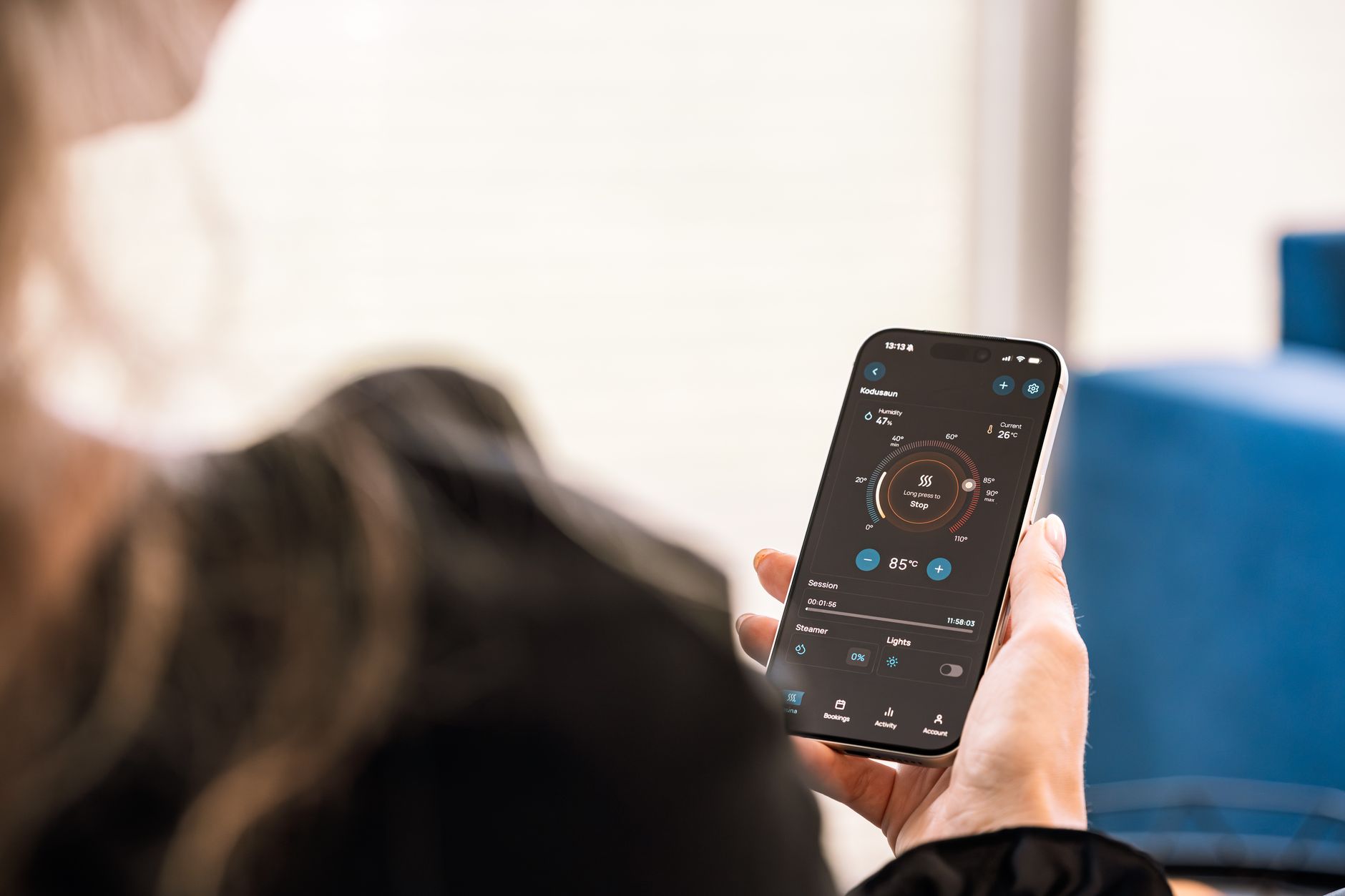
A digital panel sets a target humidity and lets the unit run until it hits that number, then stops. An app-controlled humidifier layers a network radio (almost always Wi-Fi for whole-home use, occasionally Bluetooth for one-room setups) on top of the same control board, so the same setpoints become reachable from a phone.
That second connection unlocks a few practical wins. Schedules can run on weekdays only. Humidity charts show you whether last winter’s runny nose traced back to a dry bedroom. Filter life is tracked automatically instead of by a sticker on the tank. None of this is magic, but the convenience compounds, especially in homes where humidity swings between the heating season and shoulder months.
The Sensor Stack Behind the Automation
Every Wi-Fi humidifier worth considering ships with a built-in hygrometer, a temperature probe, and a water-level sensor. The hygrometer reads relative humidity near the unit and closes the loop on auto mode. The temperature probe helps the controller compensate, since cold air holds less moisture and may need a slightly higher target. The float switch kills the transducer or wick when the tank empties, protecting the unit from burning out.
Sensor accuracy is the silent dealbreaker. A model with a cheap hygrometer can drift 5% to 8% from a reference instrument, which means the unit thinks 45% is actually 52%, and your windows start fogging. Look for brands that publish a tolerance figure (often ±3% RH) or that let you calibrate the onboard sensor against an external meter in the app.
Ultrasonic Versus Evaporative Technologies in Connected Models
Two humidification methods dominate the smart category, and each shapes the app experience in different ways. The hardware determines noise, maintenance, and how the unit behaves when the target humidity is hit.
| Factor | Ultrasonic | Evaporative |
|---|---|---|
| Noise at one meter | 25 to 35 dB, near-silent | 35 to 50 dB, audible fan |
| White-dust risk | High in hard-water areas | None, minerals stay in the wick |
| Self-regulating | No, relies on sensor cutoff | Yes, output drops as RH rises |
| Filter cost | Optional demineralization cartridge | Wick every 1 to 3 months |
| Energy draw | Under 30 W typical | 20 to 40 W plus a small fan |
Why Evaporative Units Naturally Self-Regulate
Evaporative humidifiers blow dry air through a wet wick. As relative humidity climbs, the air can carry less additional moisture, so evaporation slows without any electronic intervention. The Dyson Purifier Humidify+Cool uses this principle to good effect, since it never has to slam output to zero to hit a target.
That natural ceiling matters in bedrooms where a stuck-on ultrasonic unit can push humidity past 70% and start feeding dust mites. The trade-off is fan noise, which is why most evaporative smart humidifiers live in living areas rather than nurseries.
Where Ultrasonic Models Still Win
Ultrasonic transducers vibrate a metal diaphragm at high frequency, shattering water into a cool mist that exits silently. Pair that with a humidity sensor and a smart cutoff, and you get a bedroom-friendly unit that disappears into the background. Just plan for either a demineralization cartridge or distilled water if your tap runs hard, otherwise fine white powder settles on every surface within a few feet of the nozzle.
For households with allergy sufferers, evaporative is usually the safer pick because the wick traps minerals and some allergens. For nurseries and shift workers sleeping odd hours, ultrasonic wins on quiet, provided the water source is treated.
That quietness matters most when the app controlling it actually fits your routine rather than fighting it.
App Features That Genuinely Improve Daily Use
Every companion app promises scheduling, target humidity, and remote on/off. The differences show up in the unglamorous corners: how the app handles multiple rooms, whether filter life is actually tracked, and how often the software gets updated.
- Auto mode with a clear target. A reliable auto mode that holds 45% RH without constant tweaking matters more than a dozen preset scenes.
- Filter-life tracking. Apps that log runtime and warn you at 80% filter life save the guesswork of remembering when you last swapped the wick.
- Humidity charts. Daily and weekly graphs expose patterns you would never catch from a single reading, like a 10 PM dip when the HVAC kicks on.
- Multi-room grouping. A single dashboard for a bedroom unit and a living-room unit, with shared targets, beats juggling three logins.
- User permissions. A guest mode or limited-access profile stops kids from cranking the unit to 80% RH during a sleepover.
Walk away from any companion app that requires a cloud account for basic functions like setting a target humidity or reading the current RH. Local control should not depend on a server that could disappear.
Red flags cluster around software abandonment. Check the manufacturer’s update cadence before you buy. A unit whose app last shipped a fix in 2022 is one acquisition away from a bricked device, and once the cloud endpoint shuts down, even local control can vanish on locked-down firmware.
Voice Assistant Compatibility and Smart-Home Routines
Voice integration is where a connected humidifier graduates from gadget to actual home tool. The catch is that not every brand exposes the same depth of control, and some ecosystems only support on/off while hiding the useful setpoints.
Mapping the Three Main Ecosystems
Amazon Alexa and Google Assistant cover most mid-range and premium models. Phrases like “set bedroom humidifier to 50%” usually work on Levoit, Honeywell, and most newer entrants. Apple HomeKit is rarer, and only a handful of brands (notably some Ecobee-adjacent and Dyson units) expose native HomeKit accessories. Anything that requires a proprietary hub is a long-term risk, since your smart home is only as reliable as its most obscure dependency.
Wiring Humidifiers Into Routines
Humidity is a slow-moving variable, so the most useful routines piggyback on events rather than the time of day. A sleep routine that drops the bedroom target to 45% and dims the lights works well. An away mode that holds 40% RH in unused rooms cuts filter wear. Pairing the unit with a separate smart air quality sensor lets you bump output only when particulate matter climbs, since dry air aggravates respiratory irritation.
Geofencing, where the unit powers down when your phone leaves home and warms up the room before you return, is the single most energy-saving feature on the list. Most apps claim 20% to 40% runtime reduction once geofencing is dialed in, mainly because humidifiers stop running into empty rooms.
Geofencing only saves runtime if the unit can actually feed enough mist into the room you walk into.
If a brand gets acquired or shuts down its cloud, the app goes dark and your humidifier may lose every feature that made it smart. Choose a manufacturer that documents local-control fallbacks or that uses standard protocols like Matter where possible.
Sizing Tank Capacity, Coverage, and Maintenance Cycles
Tank size looks like the main number on the box, but it only matters once you translate it into runtime and refill frequency for your specific room.
Translating Liters Into Realistic Runtime
A 4-liter tank in a 400-square-foot bedroom, running at moderate output, will usually last 18 to 24 hours. A 6-liter top-fill unit in a living room can stretch to two nights, while a 1.5-liter nursery model rarely makes it through one. Humidifier runtime depends on how hard the unit has to work, which depends on how dry your air already is and how tight the room is.
Whole-house or tankless systems exist, but they tie into HVAC ductwork and need professional installation. They make sense in dry-climate regions with central air, and they cost several times more than a portable smart unit, but the convenience of never refilling a tank is real.
Maintenance Cycles and Water Quality
Plan on a light cleaning every one to two weeks and a deeper descaling once a month. Wick filters in evaporative units typically need replacement every two to three months, while demineralization cartridges in ultrasonic models last four to six months depending on water hardness.
A simple maintenance rhythm looks like this:
- Rinse weekly. Empty the tank, rinse with cool water, and wipe down the base to prevent biofilm.
- Descale monthly. Run a diluted citric acid or white vinegar cycle through the transducer or wick chamber.
- Replace the filter on schedule. Set a phone reminder keyed to the app’s filter-life counter, never to a vague guess.
- Swap to distilled water in hard-water areas. It costs a few dollars a week and eliminates white-dust fallout on ultrasonic units.
Top-fill designs cut refill time to under a minute, which sounds trivial until you are hauling a 6-liter tank to the sink at 11 PM. Levoit’s Oasis Mist and most newer Crane models use top-fill, and once you have had one, bottom-fill tanks feel punishing.
Matching Price Tiers to Real Household Needs
Brands solve different problems, and price tags often reflect sensor quality and ecosystem depth more than raw humidification output. Sorting by the pain point you actually have beats sorting by marketing tier.
| Brand and Model | Best Fit | Notable Strength | Watch Out For |
|---|---|---|---|
| Levoit Oasis Mist | Bedrooms and small living areas | Quiet ultrasonic with a polished app and top-fill tank | Needs distilled water in hard-water regions |
| Dyson Purifier Humidify+Cool | Large open-plan rooms with air-quality concerns | Evaporative, HEPA filtration, accurate auto mode | Premium price, larger footprint |
| Honeywell HCM-350 | Allergy households on a budget | Tankless evaporative, self-regulating output | No native app, requires a smart plug workaround |
| Crane smart models | Nurseries and kids’ rooms | Compact top-fill, friendly app, lower price | Smaller tanks mean more frequent refills |
Which Features Justify a Premium Price
Spend more when the premium buys accurate sensors, reliable auto mode, and a clean app that gets updates. Avoid paying extra for rebranded hardware with a thin software layer, since that is the most common way budget brands hit a $99 price point.
A quick decision path:
With those trade-offs mapped, the simplest way to land on a model is to follow your own situation step by step.
- Small bedroom, light user. A 3 to 4-liter top-fill ultrasonic with a basic app, around $80 to $130.
- Family living area, mixed use. A 6-liter evaporative with multi-room app support, around $150 to $250.
- Whole-home retrofit. A duct-mounted or tankless system, typically $400 to $800 installed, with a smart thermostat or dedicated controller.
- Allergy or asthma household. An evaporative with a sealed wick system and an air quality sensor, regardless of tank size, since mineral control matters more than capacity.
Bottom Line
The smartest humidifier is the one whose sensor and app you trust enough to set and forget, because a unit locked in auto mode at 45% RH will outperform a feature-packed model you keep turning off. Match the technology to the room, the tank to your tolerance for refills, and the app to an ecosystem you already use. Everything else is decoration.
FAQ
What should I look for when buying a smart humidifier?
Prioritize a reliable built-in hygrometer with a published accuracy spec, true auto mode that holds a target relative humidity, and a companion app that tracks filter life and humidity history. Connectivity, voice support, and tank size matter, but only after the sensor and software basics are solid.
Do app-controlled humidifiers really save energy?
Yes, mostly through geofencing and schedules. A unit that powers down when the house is empty and avoids over-humidifying typically runs 20% to 40% less than a dumb unit left on a fixed setting, which offsets a few dollars a month in electricity over a heating season.
Can a smart humidifier work with Alexa or Google Home?
Most mid-range and premium models support both, with on/off, target humidity, and routine triggers. Apple HomeKit support is rarer and usually reserved for higher-end brands. Check the current skill list before buying, since support can change with software updates.
How accurate are smart humidifier humidity sensors?
Quality sensors hold within ±3% RH of a reference instrument, while cheaper boards can drift 5% to 8%. Calibration against an external hygrometer is worth doing once a season, and any app that exposes a calibration offset is a useful feature.
Is a smart humidifier worth the extra cost?
For most households, yes. The convenience of remote control and reliable auto mode means the unit actually holds a healthy humidity range instead of running until the tank empties. Budget models with weak sensors tend to over-humidify, which can feed mold growth and dust mites.
How do you clean a Wi-Fi enabled humidifier?
Rinse the tank weekly, descale the base monthly with diluted citric acid, and replace the wick or demineralization cartridge on the schedule the app tracks. Always unplug the unit and empty the base fully before any deep clean, since standing water is where biofilm starts.